Cache Lifetimes, Outage Realities: Rethinking DNS TTLs as a Recovery Control
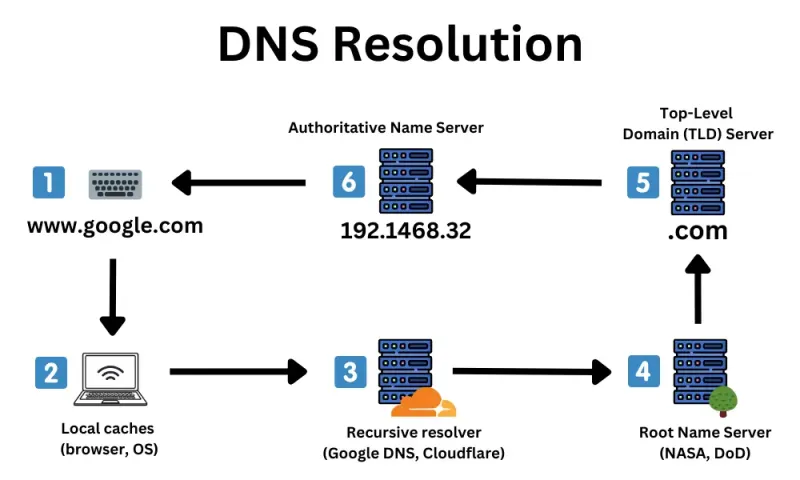
Photo: DNS server room network cables close-up, via www.businessbroadbandhub.co.uk
DNS time-to-live values occupy an odd place in infrastructure design. They are configured during a migration or a vendor cutover, documented in a runbook, and then rarely revisited. Yet a TTL is not a minor caching hint. It is a control that determines how long the public internet can keep using an old answer after your architecture has already changed. When a primary region fails, a load balancer is replaced, or an IP address is retired, the TTL decides whether recovery takes seconds or hours. At S4Core, we see this repeatedly in post-incident reviews: the failover plan was sound, the health checks worked, and the standby environment was ready, but resolvers around the world were still handing out the old address.
A TTL Is a Promise About Staleness
Every DNS record is a contract with resolvers. A long TTL says that the answer is stable and that cached copies are acceptable for a long period. A short TTL says that the answer may change and that resolvers should check back soon. The trouble is that many organizations set TTLs for convenience rather than for recovery. A 24-hour TTL reduces query volume and makes authoritative servers look efficient, but it also means that a regional failover may not reach a meaningful share of users until the next day. For a US-based consumer service with customers spread across multiple ISPs and mobile carriers, that delay is not a theoretical concern. It is a customer-visible outage extension.
The right question is not what TTL is cheapest to operate. The question is how much staleness the business can tolerate during a failure. That answer should come from the recovery time objective, not from a default template. If the recovery time objective is measured in minutes, a TTL measured in hours is a contradiction.
Resolver Behavior Is Part of the Failure Domain
Authoritative DNS servers do not control the whole caching chain. Recursive resolvers, operating system caches, browser caches, and even some network middleboxes may retain answers according to their own policies. Most respect TTLs, but not all respect them identically. Some resolvers cap TTLs. Some refresh ahead of expiry. Some continue serving stale records under certain conditions. This is why a failover test that only queries the authoritative server can create false confidence. The real question is what a customer in Chicago, Dallas, or Seattle receives from their local resolver after the change.
Negative caching adds another layer. If a name fails to resolve during a change window, resolvers may cache that negative answer for a period defined by the SOA minimum TTL. Teams often lower the record TTL before a migration but forget to adjust negative caching. The result is a window in which the record exists and is healthy, but portions of the internet refuse to ask for it because they recently learned that it did not exist.
The Failover Math Teams Skip
A TTL does not guarantee that every cached copy expires at the same moment. It sets an upper bound, and traffic shifts gradually as caches expire. If 10 percent of resolvers refresh every few minutes and 60 percent refresh near the TTL boundary, the traffic curve is not a step. It is a ramp. That ramp matters for capacity planning. The standby environment may be sized for full production load, but it also has to absorb a mixed state in which some users arrive through the old path and some through the new one. If the old path is degraded but not fully down, the split can create retry storms, duplicate sessions, and inconsistent data access.
A second-order effect is query load. Very short TTLs increase the number of queries reaching authoritative DNS. In normal operation this is manageable, but during a failover event the query rate can spike as caches expire and clients retry. If the DNS provider has rate limits or the authoritative infrastructure is undersized for the burst, the recovery mechanism itself becomes a bottleneck. The goal is not the shortest possible TTL everywhere. The goal is a TTL that matches the recovery strategy without turning DNS into a high-frequency transaction system.
Thundering Herds Start at the Edge
When a long TTL finally expires after a failover, many resolvers may refresh at roughly the same time. The resulting burst can look like a denial-of-service event against the new endpoint. This is especially likely when the new endpoint has autoscaling that reacts slowly or when the application performs expensive cache warm-up on first request. A TTL change is therefore not only a DNS decision. It is a traffic-shaping decision that should be coordinated with load balancer capacity, application warm-up, and rate limiting.
One practical mitigation is to stage the change. Lower the TTL well before the planned cutover, wait for the old TTL to drain, perform the change during a controlled window, and then restore a longer TTL only after the new state has stabilized. This avoids the worst-case scenario in which a long TTL is lowered at the same moment that traffic is being moved.
A Practical Framework for TTL Policy
Start by classifying records by recovery importance. Customer-facing apex records, API endpoints, and authentication endpoints deserve tighter alignment with incident response than internal or low-traffic records. Next, document the assumed resolver behavior and test from multiple external vantage points, not only from the corporate network. Include negative caching in the test plan. Then align TTL values with the failover runbook: if the runbook promises a 15-minute recovery, a 12-hour TTL is a defect. Finally, monitor DNS query volume and resolver distribution so that short TTLs do not become an unobserved capacity risk.
The broader lesson is that DNS is not a static directory. It is a distributed cache with its own failure modes, and TTLs are the levers that govern those modes. Treating them as set-and-forget configuration is how organizations end up with a failover plan that works in the diagram but not on the internet.